

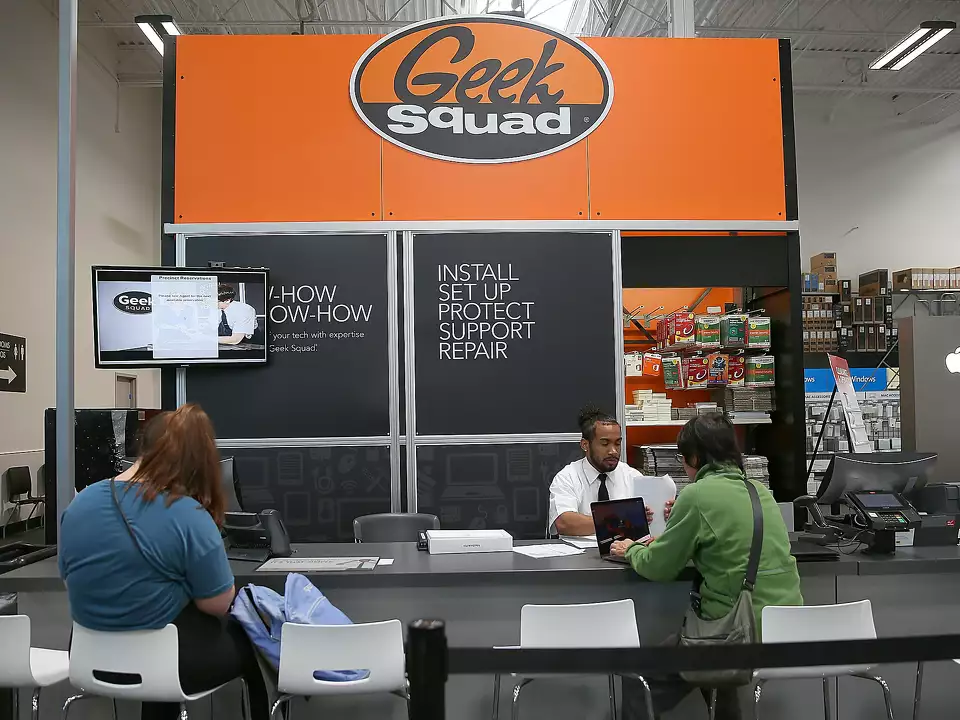
I'm not here to bash Geek Squad. I'm here to help you figure out if they're the right choice for your situation.
Geek Squad is convenient. They're everywhere. But "everywhere" comes with trade-offs. Depending on what's wrong with your computer, those trade-offs might cost you time, money, or both.
Here's my honest breakdown as someone who's been fixing PCs in Wisconsin for years.
The Short Answer
Geek Squad makes sense if you bought a Best Buy protection plan, need Apple-authorized service, or don't have a trusted local option nearby.
Geek Squad doesn't make sense if you need fast turnaround, transparent pricing, or want to talk directly to the person fixing your machine.
Is Geek Squad Protection Worth It?
This is actually the question most people are asking, and it's different from "is their repair service good?" The protection plan and the repair service are two separate things.
Geek Squad protection plans typically run $8–20/month per device, or $179.99/year for their Total Tech membership covering multiple devices. Here's how to think about whether it's worth it:
The protection plan makes sense for:
- • Laptops you carry daily. High-risk items that get dropped, spilled on, and knocked around. Accidental damage coverage is easier to justify here.
- • Expensive devices over $1,000. When the cost of a single repair approaches $300–400, a plan starts to make mathematical sense.
- • People who buy a lot from Best Buy. Total Tech bundles ongoing support with purchase benefits that add up if you're a regular customer.
The protection plan probably doesn't make sense for:
- • Desktop computers, TVs, or appliances. These break less often, and you'll likely pay more in premiums over 2–3 years than the repair would cost.
- • Budget laptops under $500. A screen replacement might cost as much as the deductible plus a replacement machine.
- • One-time issues. If something breaks once, paying for a year of coverage you won't use again doesn't pencil out.
Before signing up: check the deductible. Some Geek Squad plans charge $49–99 per claim on top of the monthly fee. If you file one claim a year, that deductible plus 12 months of premiums may exceed what you'd pay for the same repair out of pocket at a local shop.
Geek Squad Pricing vs. Local Repair
| Service | Geek Squad | Local Tech |
|---|---|---|
| Diagnostic Fee | $49.99 | $25 – $75 |
| Virus Removal | $149.99 | $75 – $150 |
| OS Reinstall | $149.99 | $80 – $150 |
| Hardware Repair | $149.99+ | $75 – $200 |
| Data Recovery | $249.99+ | $100 – $300 |
| Data Transfer | $99.99 | $50 – $100 |
| In-Home Visit | $149.99 base | $25 – $75 add-on |
Geek Squad prices from BestBuy.com as of early 2026. Local rates are typical Midwest pricing.
Does Geek Squad Charge Just to Look?
Yes. Geek Squad's diagnostic fee is $49.99 for in-store. If you need them to come to you, expect $149.99 just for the in-home visit before any repair work begins.
Most local techs charge $25–$75 for diagnostics and apply that toward your repair if you move forward. Some offer free estimates for straightforward issues. Worth asking before you commit.
Where Geek Squad Falls Short
Wait times. Walk into Best Buy on a Saturday and you might wait 30–45 minutes just to drop off your computer. Actual repairs? I've heard from customers who waited 5–10 business days for things we finish same-day.
The handoff problem. You explain your issue to a front desk person. They type notes into a system. Someone else (maybe at that store, maybe at a service center in another state) does the actual work. Details get lost. You can't ask follow-up questions.
Upselling. Geek Squad's business model includes pushing their Total Tech membership ($179.99/year). That's fine if you need ongoing support, but for a one-time fix you're often paying for things you don't need.
Generic solutions. High-volume operations default to safe, repeatable fixes. Sometimes that means wiping your system when a lighter touch would work, or recommending replacement when repair is viable.
Where Geek Squad Makes Sense
There are situations where Geek Squad is the right call:
- • You have a Best Buy protection plan. You already paid for it. Use it.
- • Apple repairs. They're an authorized service provider. If your MacBook is under AppleCare, this matters.
- • No local alternative. If you're far from an independent tech, Geek Squad in the next town might be your best option.
- • You want a large company behind the warranty. Some people prefer that. Nothing wrong with it.
Geek Squad Alternatives Near You
The best alternative to Geek Squad is a local independent repair shop. Here's what you actually get with a local tech that you don't get at Geek Squad:
- • Same-day service for most common repairs, not 5–10 business days
- • Direct communication with the person actually opening your machine
- • Honest repair vs. replace advice. A local tech who tells you something isn't worth fixing is saving you money, not losing a sale
- • No membership required. Pay for what you need, nothing more
- • Accountability. If something's wrong after the repair, you call and they show up
In Wisconsin and the Chicago metro, BadgerLayer is that local option. We provide PC repair, laptop repair, virus removal, and IT support for homes and businesses throughout Southern Wisconsin: Fort Atkinson, Whitewater, Janesville, Madison, Milwaukee, and into the Chicago area.
We're not a franchise. We're not a call center. When you contact us, you're talking to the person who fixes it.
What to Do Before Any Repair
Wherever you take your computer, protect yourself first:
- • Back up your files if you can still access them: external drive, cloud storage, anything.
- • Know your passwords. You'll need your Windows or Mac login and possibly your Microsoft or Apple account credentials.
- • Write down the problem. When does it happen? What were you doing? Any error messages? More detail means a faster fix.
- • Ask about data. Will they preserve your files? What happens if they can't?
Frequently Asked Questions
Is Geek Squad protection worth it?
It depends on the device and your risk tolerance. Laptop protection is easier to justify for a device you carry daily. For desktops, TVs, or appliances, you'll likely pay more in premiums than you'd ever spend on repairs. Always check the deductible. Some plans charge $49-99 per claim on top of the monthly fee.
Is Best Buy Geek Squad worth it for repairs?
For out-of-pocket repairs, local independent shops typically offer faster turnaround and comparable pricing. Geek Squad makes more sense if you already have their protection plan or need Apple-authorized service.
Is Geek Squad protection worth it for a laptop?
For a premium laptop over $1,000 that you carry daily, yes. Accidental damage coverage is easier to justify. For budget laptops under $500, the math usually doesn't work out once you factor in deductibles and monthly premiums.
What are alternatives to Geek Squad?
A local independent computer repair shop is the best Geek Squad alternative: faster turnaround, direct communication, and comparable or lower pricing. In Wisconsin, BadgerLayer serves homes and businesses throughout Southern Wisconsin and the Chicago metro.
Can Geek Squad repair any PC?
They work on most brands, but complex repairs often get shipped to a central facility, adding days or weeks to your wait.
Is the Total Tech membership worth it?
If you buy frequently from Best Buy and want ongoing multi-device support, maybe. For a single repair, you're paying $179.99 for a year of membership you may not use again.
Will Geek Squad fix my computer the same day?
Rarely. Simple fixes might be same-day, but most repairs take several business days. In-home service requires scheduling in advance.
Is it worth fixing an old computer at all?
Depends on the repair cost vs. the machine's value. Here's the full breakdown on when repair makes sense.
The Bottom Line
Geek Squad isn't bad. It's built for volume, not speed or personal service. Their protection plans can make sense for high-risk devices, but run the math on deductibles and premiums before you sign up.
For repairs, if you have a local tech you trust, you'll usually get faster service, clearer communication, and comparable or better pricing. Got a computer problem and not sure where to start? Reach out and we'll give you a straight answer, even if that answer is "Geek Squad might be fine for this one."


