

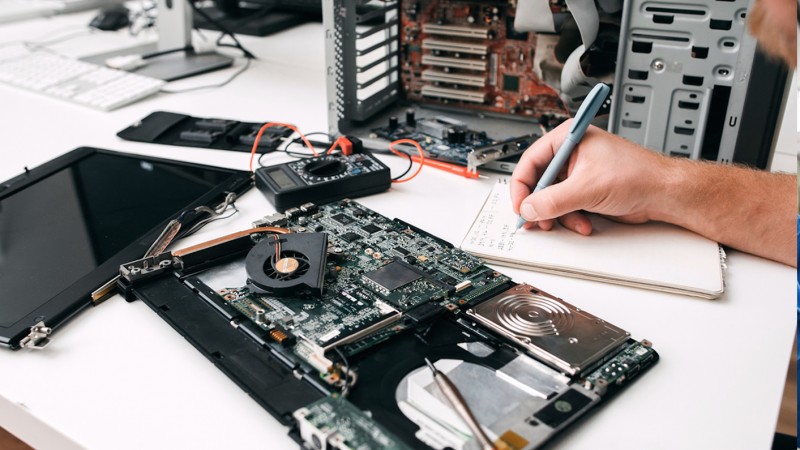
Most PC repairs cost between $75 and $250. Here's exactly what drives that number up or down, and how to know when repair stops making sense.
I've been fixing computers in Southern Wisconsin for years. The first question before any repair is always the same: "What's this going to cost me?" This guide gives you real numbers based on what we actually charge, not national averages from a survey.
Prices here reflect labor rates in the Midwest ($60–$100/hour). Parts are additional unless noted. Every job starts with a proper diagnostic so there are no surprises.
Quick Reference: Common PC Repair Costs in 2026
| Service | Typical Cost | Turnaround |
|---|---|---|
| Diagnostic Fee | $25 – $75 | Same day |
| Virus & Malware Removal | $75 – $150 | Same day |
| Windows Reinstall | $80 – $150 | 1–2 days |
| SSD Upgrade | $75 – $150 + drive | 1–2 days |
| RAM Upgrade | $40 – $80 + parts | Same day |
| Hard Drive Replacement | $100 – $200 + drive | 1–2 days |
| Laptop Screen Replacement | $150 – $400 | 2–4 days |
| Laptop Battery Replacement | $50 – $150 | 1–2 days |
| Laptop Keyboard Replacement | $80 – $200 | 2–3 days |
| Power Supply Replacement | $75 – $175 + PSU | 1–2 days |
| Motherboard Replacement | $150 – $400 + board | 3–5 days |
| Data Recovery (Logical) | $100 – $300 | 1–3 days |
| Data Recovery (Physical) | $500 – $1,500+ | 3–10 days |
Labor rates in the Midwest typically run $60–$100/hour. Parts are additional unless listed as included. Diagnostic fees apply toward repair cost if you move forward.
What Drives the Price?
The diagnosis matters most. A computer that won't turn on might need a $60 power supply or a $300 motherboard. There's no way to know without testing. That's why diagnostic fees exist, and good shops apply the fee toward your repair if you proceed.
Laptops cost more than desktops for the same repair. Everything is compact, harder to access, and requires more disassembly time. A RAM upgrade takes five minutes on a desktop tower. On some laptops, you're removing the entire keyboard first.
Parts availability affects older machines. Finding components for a computer that's 8–10 years old sometimes means tracking down used parts or paying a premium. A good tech will tell you when repair costs are approaching the machine's actual value.
Labor rates vary by region. Big-city shops in Chicago or Milwaukee may charge $100–$150/hour. In smaller markets like Fort Atkinson, Whitewater, or Janesville, you're typically looking at $60–$90/hour. Remote and on-site work are priced differently too.
The Repairs We See Most Often
Slow computers are the most common call we get. The cause is usually one of three things: malware, a failing hard drive, or a system that was never fast to begin with and just needs an SSD upgrade. That SSD swap ($150–$250 total including labor and the drive) delivers the single biggest performance improvement you can make on most machines. I've seen eight-year-old computers feel brand new after replacing a spinning hard drive with a solid state drive.
Virus and malware removal runs $75–$150 and takes 1–2 hours done right. A real cleanup is not just running one antivirus scan. It means checking for rootkits hiding in the boot sector, cleaning browser hijackers that reinstall themselves, reviewing every startup program, and verifying nothing is still calling home. Cutting corners here means the problem comes back.
Hardware failures vary widely depending on what failed. Power supplies and RAM are affordable fixes that get you back up the same day or next. Motherboards and graphics cards get expensive fast, especially for older systems where new parts are scarce. When someone brings in a PC with a failed motherboard in a 6-year-old build, the honest answer is sometimes "this doesn't make financial sense to fix."
Laptop-specific repairs tend to cost more because of compact design and proprietary parts. Cracked screens run $150–$400 depending on the model and display type. A standard 1080p matte panel is much cheaper to replace than a 4K OLED or a touchscreen. Keyboard replacements fall between $80–$200. Battery swaps are usually $50–$150 and can add years to a laptop that won't hold a charge.
Windows reinstalls come up more than most people expect. When a system has accumulated years of software, bad updates, and registry clutter, a clean reinstall is often faster than debugging individual issues. Cost is $80–$150 for labor including backup, wipe, reinstall, and driver setup. Your Windows license transfers with your hardware.
Data Recovery Costs: What to Expect
Data recovery is the most variable category in PC repair. The range is wide because the type of failure determines the method, the time, and the tools required.
- Logical recovery (deleted files, formatted drive, corrupted file system): $100–$300. Software tools can often recover data without touching the hardware. Fast turnaround, high success rate.
- Failed SSD: $200–$700. SSDs fail differently than spinning drives. Controller failures and NAND wear require specialized tools. Success rate varies.
- Mechanically failed hard drive (clicking, grinding, not spinning): $500–$1,500+. Requires cleanroom work in most cases. Platters need to be accessed in a dust-controlled environment. This is professional lab territory.
If your drive is clicking or grinding, do not keep powering it on. Every additional spin cycle causes more platter damage and reduces the chance of a successful recovery. Unplug it, put it in an antistatic bag, and get it to a professional first.
A simple cloud backup through BackBlaze or iDrive costs a few dollars a month. If you've lost data once, setting up a backup before it happens again is worth every penny. We can help configure that too.
Repair vs. Replace: The Honest Answer
This question comes up on almost every job. Here's the framework I use:
Repair makes sense if:
- • The repair cost is under 50% of what a comparable replacement would cost
- • The computer is under 5–6 years old
- • It still meets your performance needs after the fix
- • It's a single clear failure, not multiple things degrading at once
- • There's important data, software, or a familiar setup worth preserving
Replace it if:
- • Multiple components have failed or are showing signs of failure
- • It's 7+ years old and struggling with modern software
- • Repair costs exceed $400–$500
- • It's a budget laptop and screen repair costs more than the machine is worth
- • You've already repaired it once in the last 12 months
I turn away work when repair doesn't make sense. A $350 fix on a six-year-old $300 laptop isn't doing you any favors. I'll tell you that before touching anything. If replacement is the right call, I can also point you toward a solid refurbished machine that fits your budget rather than sending you to a big box store blind.
On-Site vs. Drop-Off vs. Remote Repair
Drop-off repair is the most affordable option. You bring the machine in, we diagnose and fix it, you pick it up. Straightforward for laptops and smaller desktops.
On-site repair costs $25–$75 extra for the house call on top of normal repair rates. Worth it when the machine is difficult to transport, or when the issue might be related to your network or environment rather than the machine itself.
Remote support is available for software issues, virus removal, and troubleshooting when the machine can still connect to the internet. Often the fastest and least expensive option for the right problem.
How to Protect Yourself When Hiring a Tech
Get a written estimate first. You should know exactly what's wrong and what it costs before any work begins. If a shop won't give you a number upfront, that's a problem.
Ask about the diagnostic fee. Most reputable shops apply it toward your repair if you proceed. Confirm this before dropping anything off.
Ask about warranty. 30 to 90 days minimum on parts and labor is standard. If a shop won't stand behind their work, find another one.
Watch for red flags: vague pricing over the phone, pressure to decide on the spot, pushing replacement without exploring repair first, or quoting a flat fee without looking at the machine. A good tech explains your options and lets you make the call.
Frequently Asked Questions
How much does PC repair cost?
Most repairs fall between $75 and $250. Virus removal runs $75–$150, SSD upgrades $75–$150 plus the drive, Windows reinstalls $80–$150, and laptop screen replacements $150–$400. More complex work like data recovery or motherboard replacement runs higher. Labor in the Midwest is typically $60–$100/hour.
How much does a diagnostic fee cost?
$25–$75 at most shops, and it should apply toward your repair if you move forward. The diagnostic tells you what's actually wrong before you commit to fixing anything.
How much does laptop screen replacement cost?
$150–$400 depending on the model and display type. Standard 1080p panels are on the lower end. 4K, OLED, or touchscreen displays cost significantly more. Always get a quote before assuming it's too expensive.
How much does virus removal cost?
$75–$150 done properly. A real cleanup takes 1–2 hours and involves more than running one scan. Rootkit checks, browser cleanup, startup review, and verification that nothing is still running in the background.
How much does a Windows reinstall cost?
$80–$150 for labor. This includes backing up your data, wiping the drive, reinstalling Windows, reinstalling drivers, and getting everything back to a clean working state. Your existing Windows license transfers with the hardware.
How much does data recovery cost?
$100–$300 for logical recovery (deleted files, formatted drives, corrupted partitions). $500–$1,500+ for physically failed hard drives that require cleanroom work. Do not power on a clicking or grinding drive. Get it to a professional first.
How long does PC repair take?
Simple fixes like virus removal or RAM upgrades often finish same-day. Hardware replacements needing parts take 2–5 days. Data recovery can take a week or more depending on the failure type.
Should I try fixing it myself?
RAM and SSD upgrades are beginner-friendly with low risk and good guides online. Virus removal takes some knowledge to do thoroughly. Motherboard work, data recovery from a failed drive, and laptop screen replacement are best left to someone with experience and the right tools.
Is on-site PC repair more expensive?
Usually $25–$75 extra for the house call on top of normal repair rates. Worth it for large desktop towers, all-in-ones, or issues that might be related to your network or environment rather than the machine itself.
Do repair shops guarantee their work?
They should. Look for 30–90 days minimum on parts and labor. Ask about warranty before any work starts. A shop that won't stand behind their repairs is a shop to avoid.
The Bottom Line
Most PC repairs cost between $75 and $250. You should know exactly what you're paying for before anything starts. A good tech gives you a straight diagnosis, a clear price, and an honest answer on whether repair is worth it.
We serve Fort Atkinson, Whitewater, Janesville, Jefferson, and the surrounding area. Drop-off, on-site, and remote support available depending on what makes sense for your situation.
Have a specific issue? Reach out here or check our PC repair services page for more detail on what we handle.


